Your daily 5-minute read on Zoho Automations & AI Tools that actually move the needle for your business.
💡 Prompt of the DayTurn a Negative Review Into a Loyalty Win
Responding to a negative online review can feel awkward — but a well-crafted reply can actually build trust with future customers. Paste this into ChatGPT or Claude and get a polished, human response in seconds: You are a customer experience specialist helping a small business owner respond to a negative online review. Write a public reply that: (1) opens by thanking the reviewer by first name for their feedback, (2) sincerely acknowledges their specific complaint without making excuses, (3) briefly explains one concrete step we are taking to fix the issue, (4) invites them to contact us directly using the phrase "reach out to us at [CONTACT INFO]" so we can make it right, and (5) closes warmly in a way that shows we value their business. Keep the tone calm, professional, and genuinely empathetic — never defensive. The review to respond to is: "[PASTE THE CUSTOMER REVIEW HERE]" Our business name is [BUSINESS NAME] and we are a [TYPE OF BUSINESS].
Replace the bracketed placeholders with your actual review text, business name, contact email or phone number, and business type before hitting send. 🧠 Zoho Tip of the DayScore Leads Faster with Zoho CRM's Scoring Rules
Stop manually guessing which leads deserve your attention first. In Zoho CRM, Scoring Rules let you automatically assign positive or negative points to leads based on their actions — like opening an email (+5), visiting your pricing page (+10), or going cold for 30 days (-15). Your team sees a live score on every record, so they always call the hottest leads first. To set it up today, go to Setup → Scoring Rules in Zoho CRM, click Create Rule, choose the Leads module, and add just two or three signal-based criteria that matter most to your sales cycle. Even a bare-bones scoring rule beats no rule at all. 🎯 Today's Real-World ScenarioA business owner recently told me something that stopped me mid-conversation: "I know I lost a $14,000 job last month because I forgot to follow up. The customer even called to check in, but by then they'd already signed with someone else." This was a residential solar installation company — a business where the sales cycle runs two to four weeks, customers are comparing multiple quotes, and timing is everything. The owner wasn't careless. He was just buried. I regularly see this pattern in field service businesses — HVAC, solar, pest control, specialty contractors — where the owner or a small sales team is the entire pipeline. A lead comes in through a website form, or a rep fills out a site assessment in the field, and that information lands somewhere: maybe a spreadsheet, maybe an inbox, maybe a notebook. The follow-up depends entirely on someone remembering to do it. When the day gets busy — and it always gets busy — that lead just sits there, quietly going cold. The real problem isn't effort or intention. It's that the handoff between "lead captured" and "follow-up triggered" is a manual step that requires a human to notice, decide, and act. In a small business, that's an enormous amount of invisible load sitting on one or two people's shoulders, and it fails quietly. You never see the deal you didn't close. You just wonder why your close rate feels lower than it should. 🔧 Today's Zoho SolutionZoho Flow
The tool that genuinely solves this is Zoho Flow — Zoho's workflow automation platform that connects your apps and triggers actions automatically when specific things happen. It's not a CRM feature or a simple reminder tool. It's a dedicated automation layer that watches for an event — a form submission, a status change, a new record — and immediately kicks off a chain of actions without anyone having to notice or remember. Here's the specific mechanism: when a lead comes in through a web form or is entered into a connected app, Zoho Flow detects that trigger and can instantly send a personalized acknowledgment email to the prospect, create a follow-up task assigned to the right team member, set a deadline, and — if no action is taken within a defined window — send an internal alert or escalate automatically. Every step happens in seconds, and none of it requires a human to initiate it. The lead never sits in a queue waiting for someone to "get to it." What makes this genuinely powerful for a small business is that Zoho Flow connects across the tools you're already using — not just Zoho apps, but Google Workspace, Typeform, Calendly, and dozens of others — so you're not rebuilding your workflow from scratch. You're adding an automation layer on top of what already exists. The logic can be as simple or as conditional as your sales process requires: different follow-up sequences for residential versus commercial inquiries, different owners for different service territories, automatic reminders at day one, day three, and day seven if no response is logged. A solar installation business implementing exactly this kind of flow — triggered by their site assessment form submissions — cut their average response time from over 24 hours down to under three minutes, and built in a structured five-day follow-up sequence that ran without any manual input. Within two months, they attributed two closed jobs directly to follow-ups that, under the old system, would never have happened at all. The leads were always there. They just finally had a system that never forgot to follow up on them. 🌐 In the Zoho World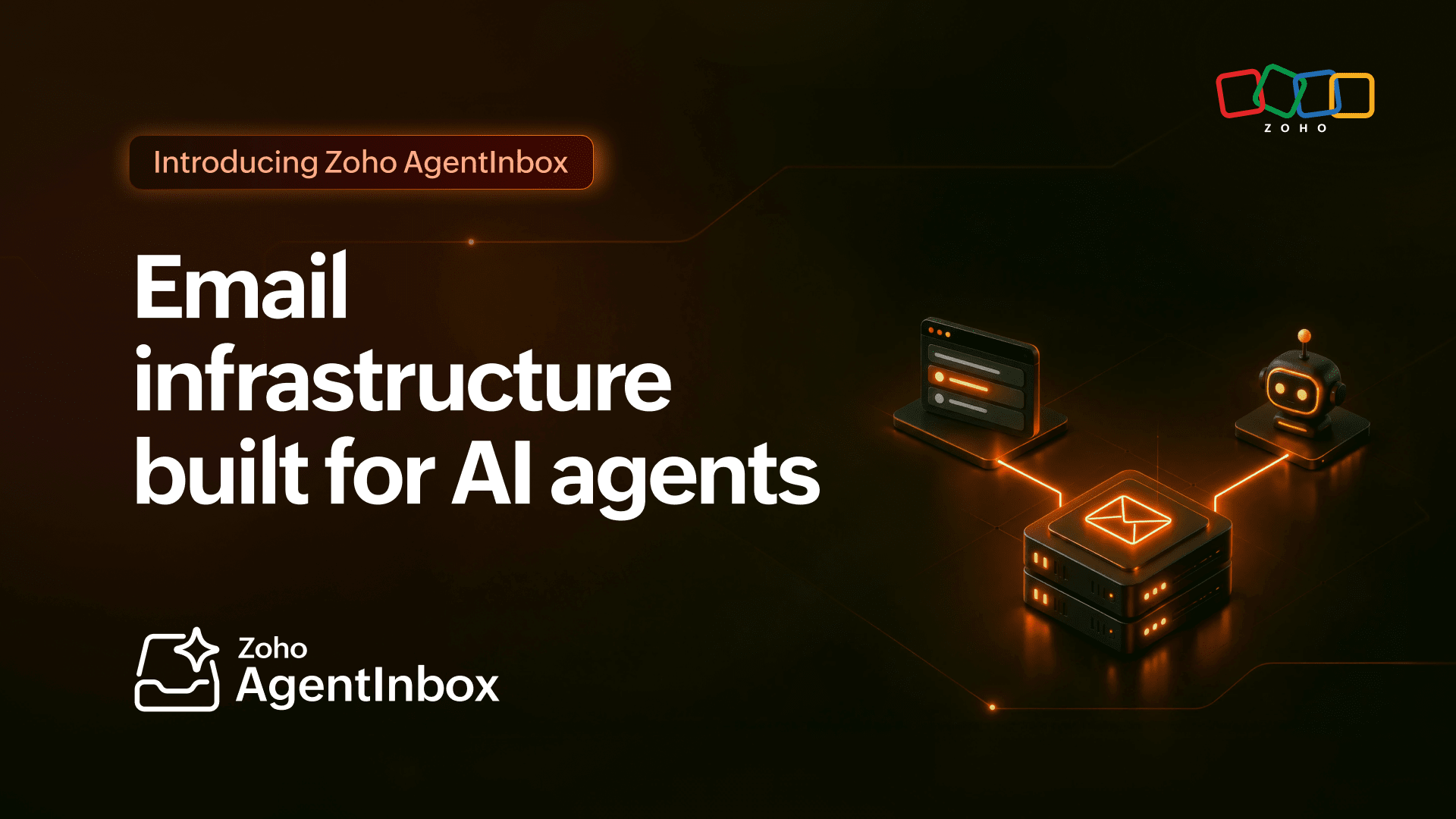 Zoho Launches Dedicated Email for AI AgentsZoho has introduced AgentInbox, a new email infrastructure designed specifically for AI agents rather than human users. Instead of giving your AI tools access to a shared or personal inbox—which creates security risks and messy overlap—AgentInbox gives each agent its own dedicated email environment built to handle automated sending and receiving cleanly and safely. For small business owners starting to use AI-powered automation, this matters because plugging an AI agent into your real inbox can expose sensitive emails and cause chaos when things go wrong. AgentInbox keeps your human communications separate from your automated ones, making AI email workflows more secure, manageable, and professional from the start. 🤖 In the AI World AI Agents Need Built-In Data Rules to Stay SafeAs AI systems become more autonomous—able to take actions on their own without human approval—tech experts are warning that safety rules and permissions can't just live in the AI model itself. Instead, guardrails need to be embedded directly into the data layer, meaning the databases and systems the AI accesses, so that sensitive information stays protected no matter how the AI behaves. For small business owners starting to use AI tools that can book appointments, send emails, or manage records automatically, this is an important heads-up: make sure any AI solution you adopt has built-in data controls and access limits, not just a promise that the AI will "behave." As these tools grow more powerful, knowing who—or what—can access your business data becomes a critical security question. |

If you found this article useful, follow along for more on Zoho CRM implementation, business automation, and putting AI to work in your day-to-day operations.
📋 The ClearPath Zoho One Complete Startup Checklist + AI Tool Pack — the most comprehensive way to launch Zoho One. Includes custom functions, ready-to-run automations, templates, and copy-and-paste prompts to automate your tasks, save hours, and boost efficiency.